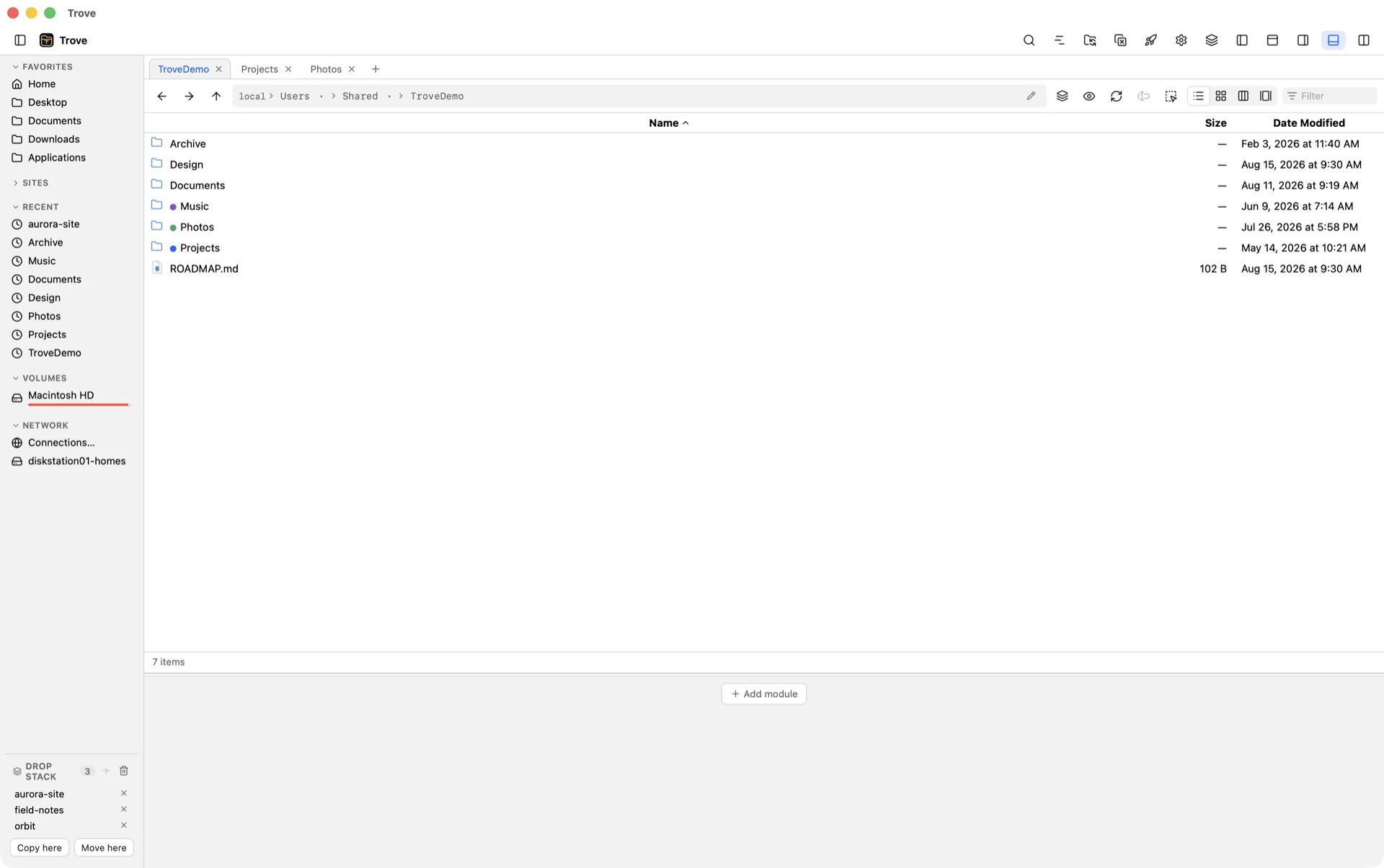
Trove pairs Total Commander's dual-pane discipline with a preview engine that knows more than 500 file types — code, RAW photos, PSDs, video, PDFs, 3D models, calendars, certificates, packages — even inside archives, even on remote servers. Drop Stack, real terminal, tags, tabs. For macOS and Windows.
PNG JPEG HEIC JXL RAW PSD EXR PDF DOCX XLS EPUB PAGES MARKDOWN MERMAID JSON PARQUET SQLITE IPYNB WASM MKV AIFF FLAC TTC FBX USDZ ICS VCF TORRENT ZIP 7Z DEB RPM PKG DMG CAB EML PNG JPEG HEIC JXL RAW PSD EXR PDF DOCX XLS EPUB PAGES MARKDOWN MERMAID JSON PARQUET SQLITE IPYNB WASM MKV AIFF FLAC TTC FBX USDZ ICS VCF TORRENT ZIP 7Z DEB RPM PKG DMG CAB EML
35MBDownload size
500+File types previewed
5Remote protocols
650+Automated tests
0Trackers
01
Command
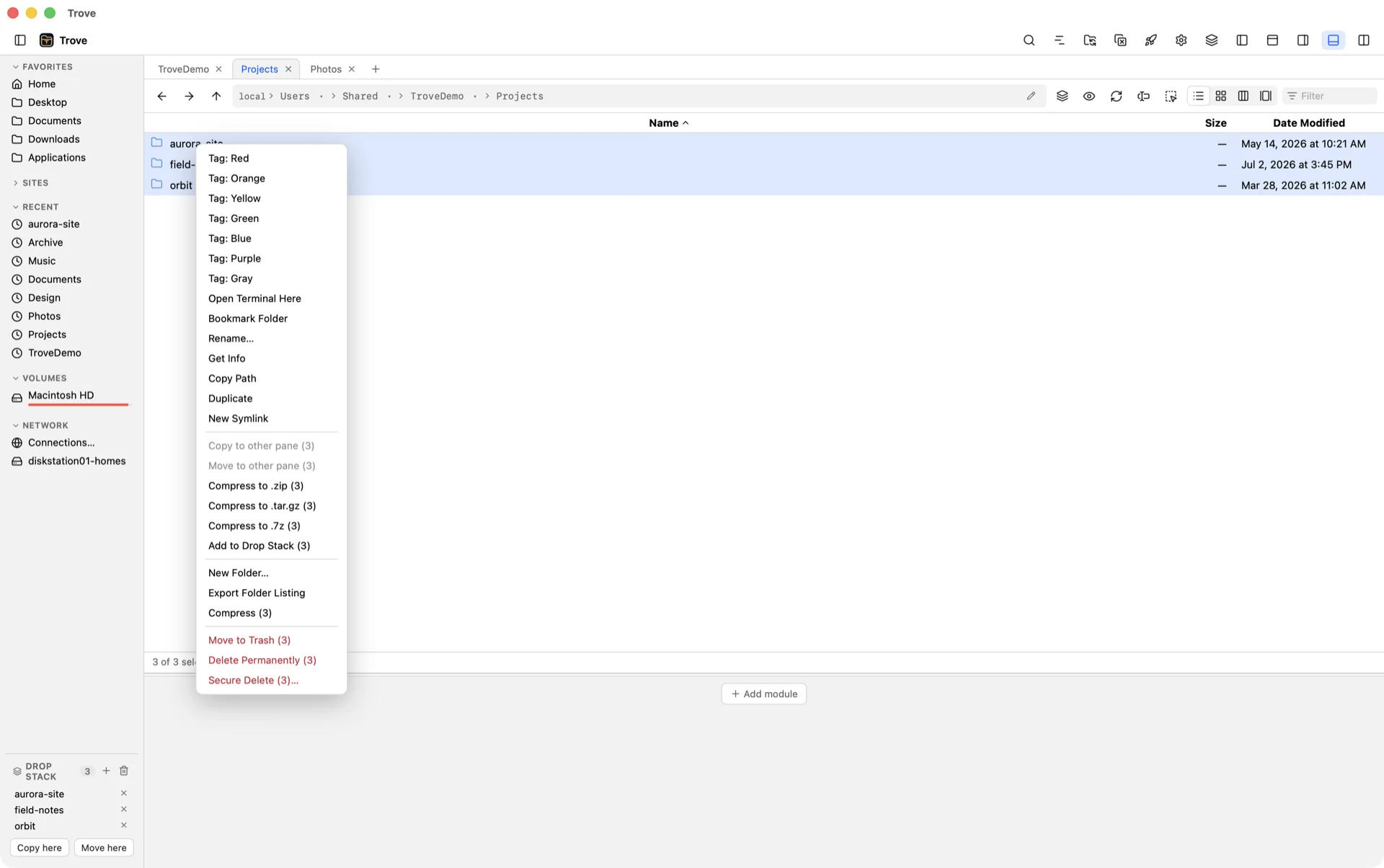
Right-click is a control room.
Every row knows what you might want next. Tag it in a color, open a terminal inside it, bookmark it into a group, compress it three ways, park it on the Drop Stack, or delete it securely — without leaving the list.
Seven color tags, shown as dots in the list and synced with Finder tags on macOS.
Bookmark Folder asks which group — Favorites, or any group you've made.
Compress to .zip, .tar.gz or .7z, copy the path, duplicate, symlink, get info.
Move to Trash, Delete Permanently, or Secure Delete — each one says what it does.
Right-click · 3 folders selected
02
Collect
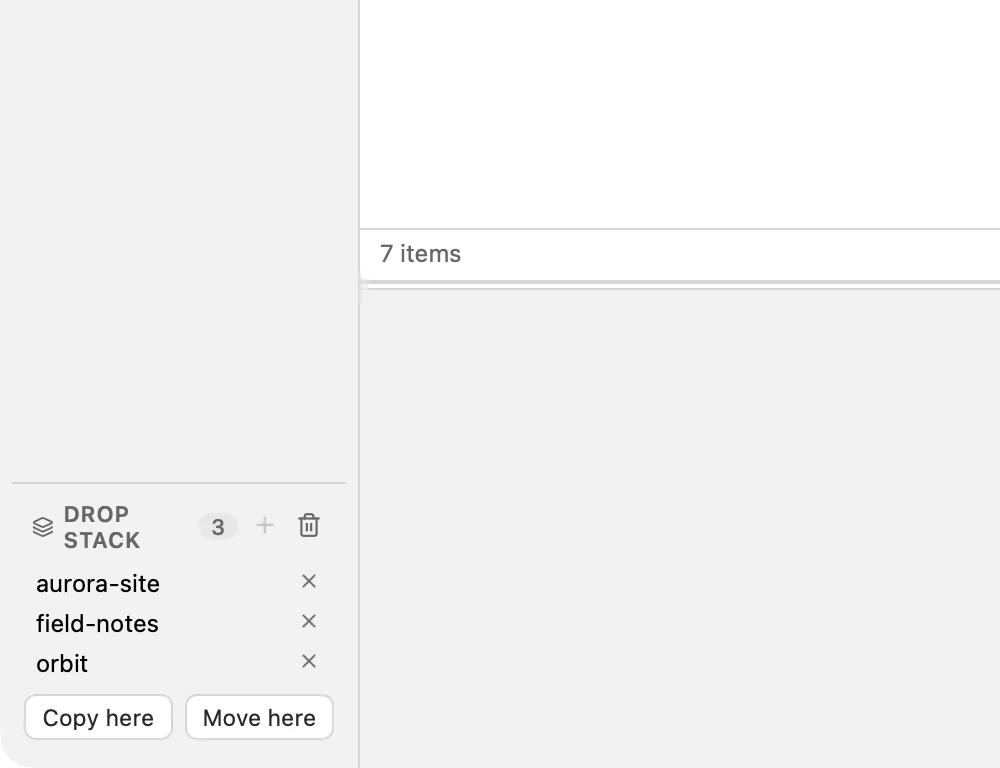
Gather first. Decide later.
The Drop Stack is a shelf that lives in the sidebar. Drag files onto it from any tab, any folder, any other app. Keep browsing. When the pile is right, copy or move the whole stack in one go.
Drag between tabs. Hover an inactive tab mid-drag and it springs open so you can keep going into its folders.
Drag from Finder, Explorer or the desktop. Files from outside land as copies; files from inside move.
Every transfer is queued with progress, conflict resolution, cancel — and undo.
Drop Stack · 3 items waiting
03
Shell
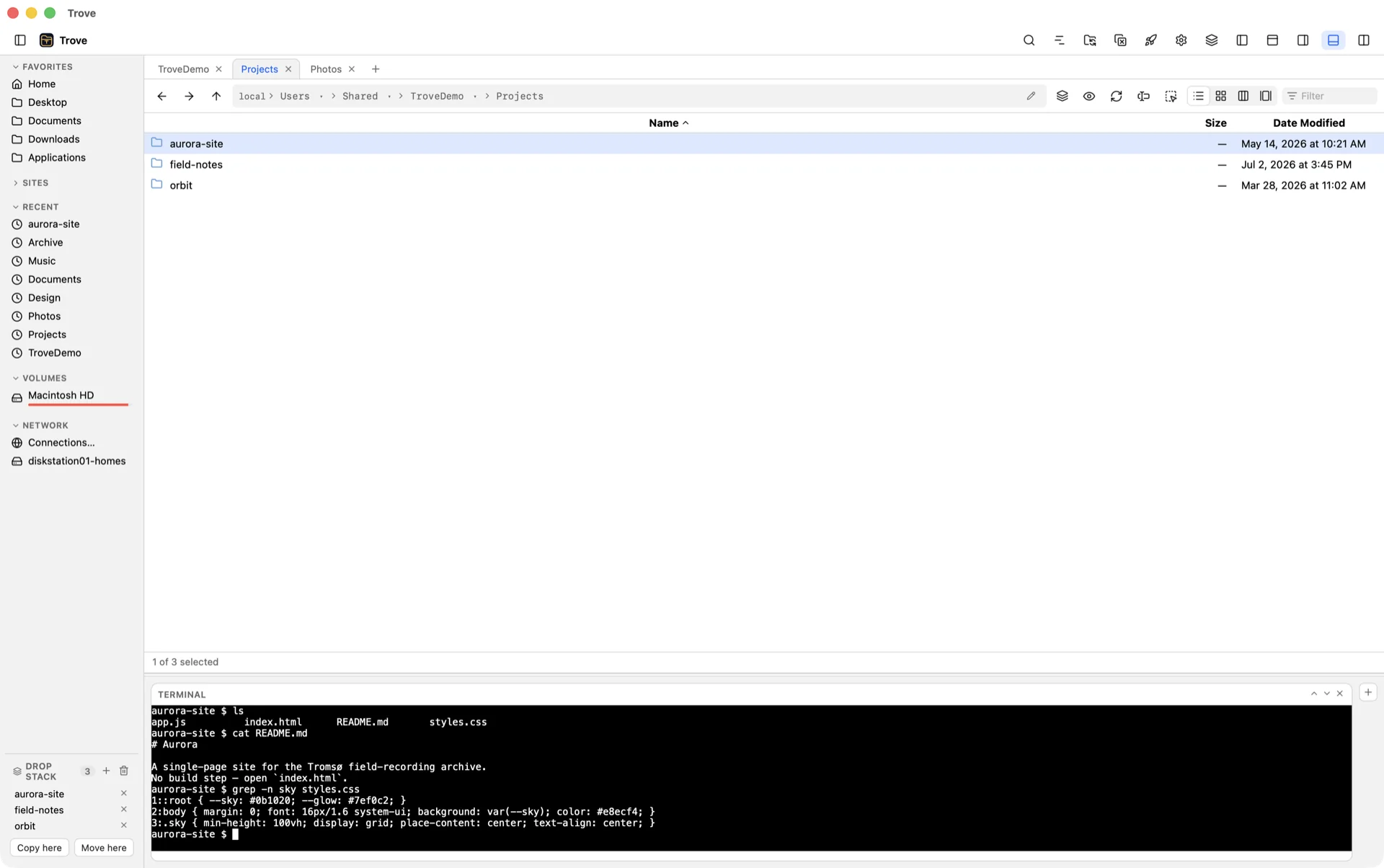
A real terminal, already there.
“Open Terminal Here” docks a genuine PTY in the bottom shelf, starting in the folder you right-clicked. zsh or bash on macOS; PowerShell or Command Prompt on Windows. Prefer a separate window? That's one menu item down.
Shelves on all four sides host modules: Terminal, Preview, Info, Git, Hex, Processes, Image Browser, Trash.
Git status in the browser — the current branch and per-file status badges, read from your system git.
Hex viewer with in-place byte editing, for when a file is just bytes — it works on files inside archives too.
Bottom shelf · Terminal module
04
See
Four views. One folder.
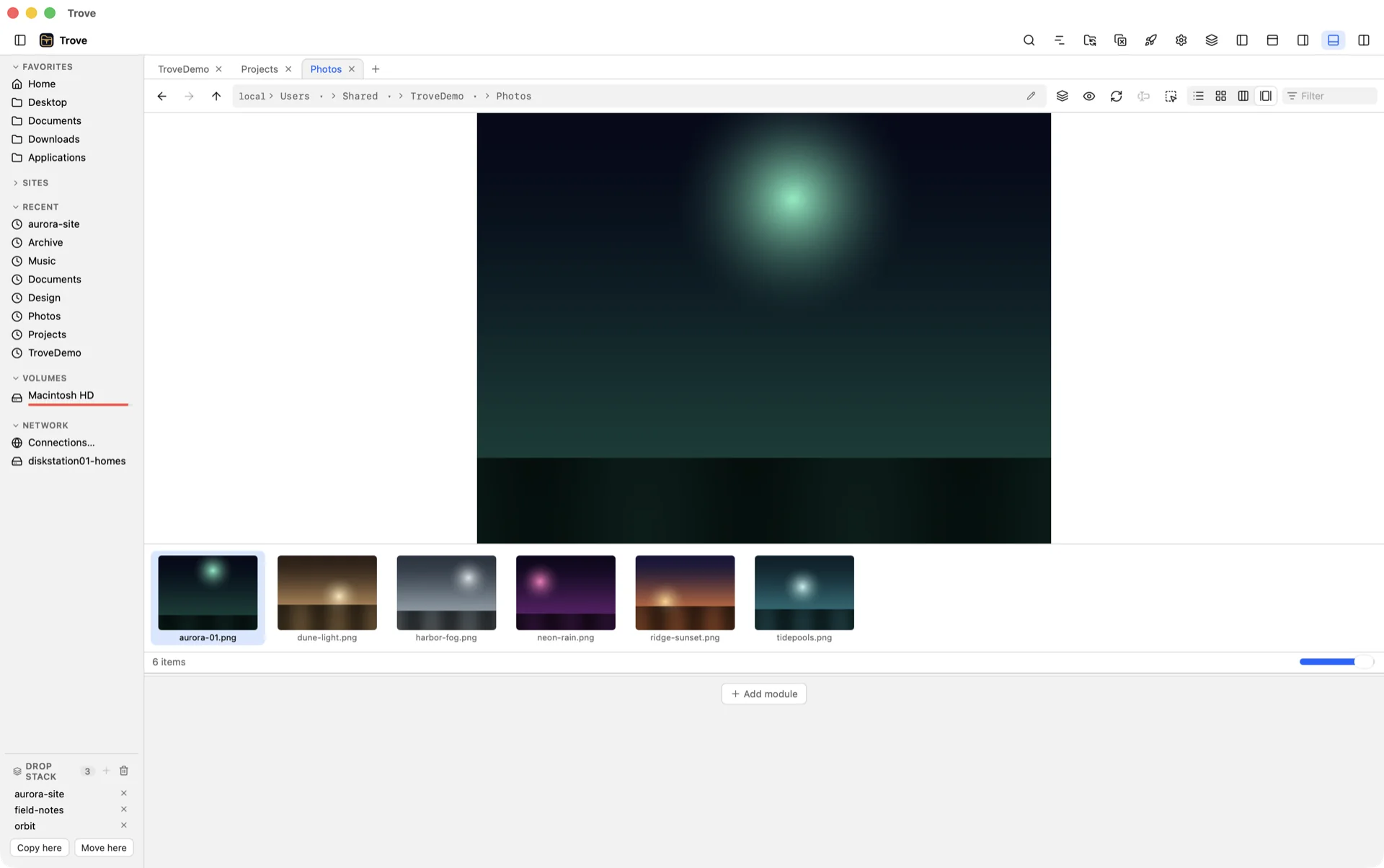
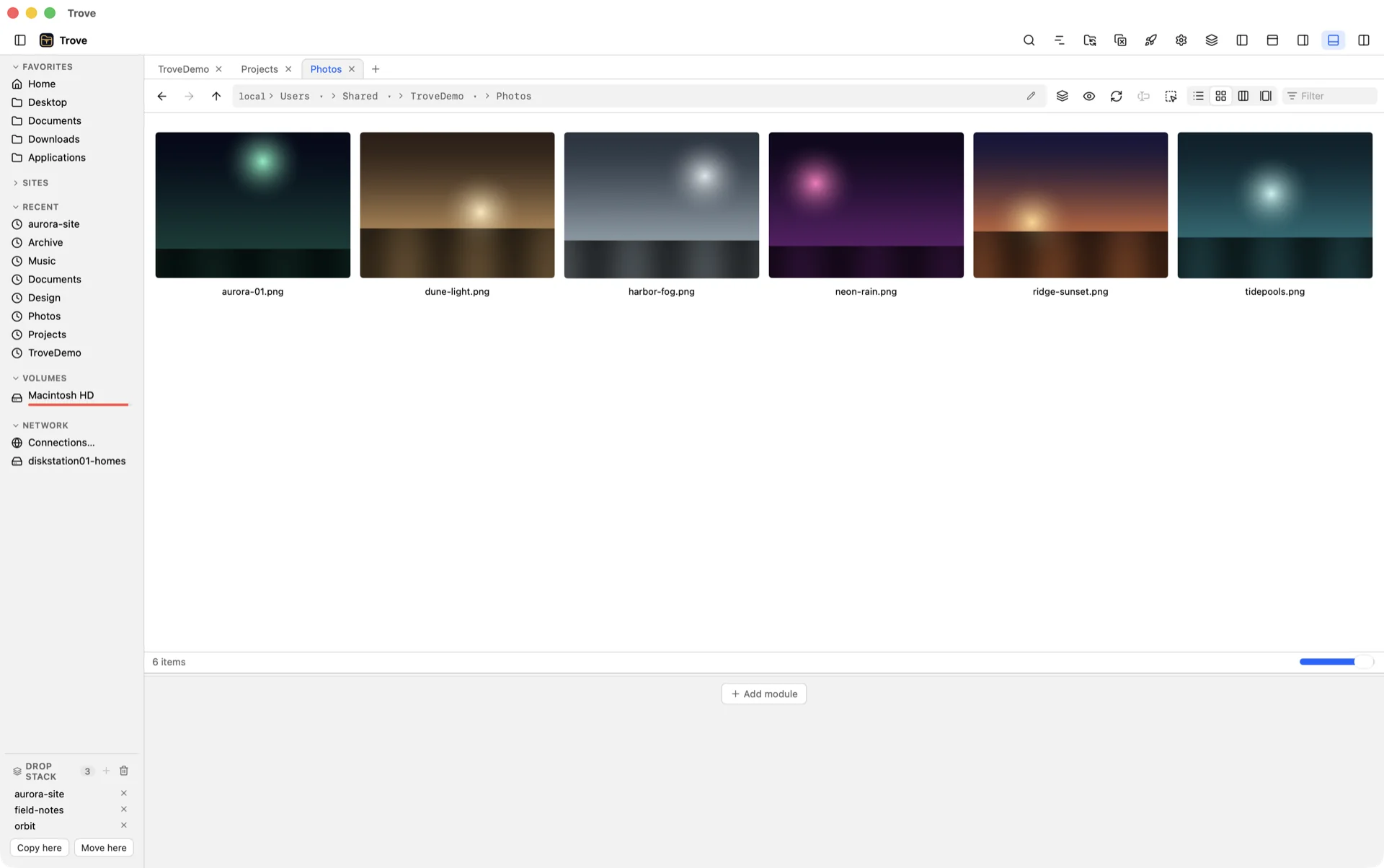
List for the numbers, Icon for the shapes, Column for the depth, Gallery for the pictures — a large preview with a filmstrip underneath. Thumbnails render in the background and stay cached, so the second visit is instant.
Press Space for a full-window preview and arrow through the selection.
Thumbnail size slider, sortable columns, smart sorting (folders first, or files first), per-folder live filter.
HEIC, JPEG XL and 18 camera RAW formats decode natively on both platforms, where Finder and Explorer show a generic icon; EXR and HDR textures render tone-mapped.
Gallery viewIcon view
05
Fly
Hands on the keys, not the mouse.
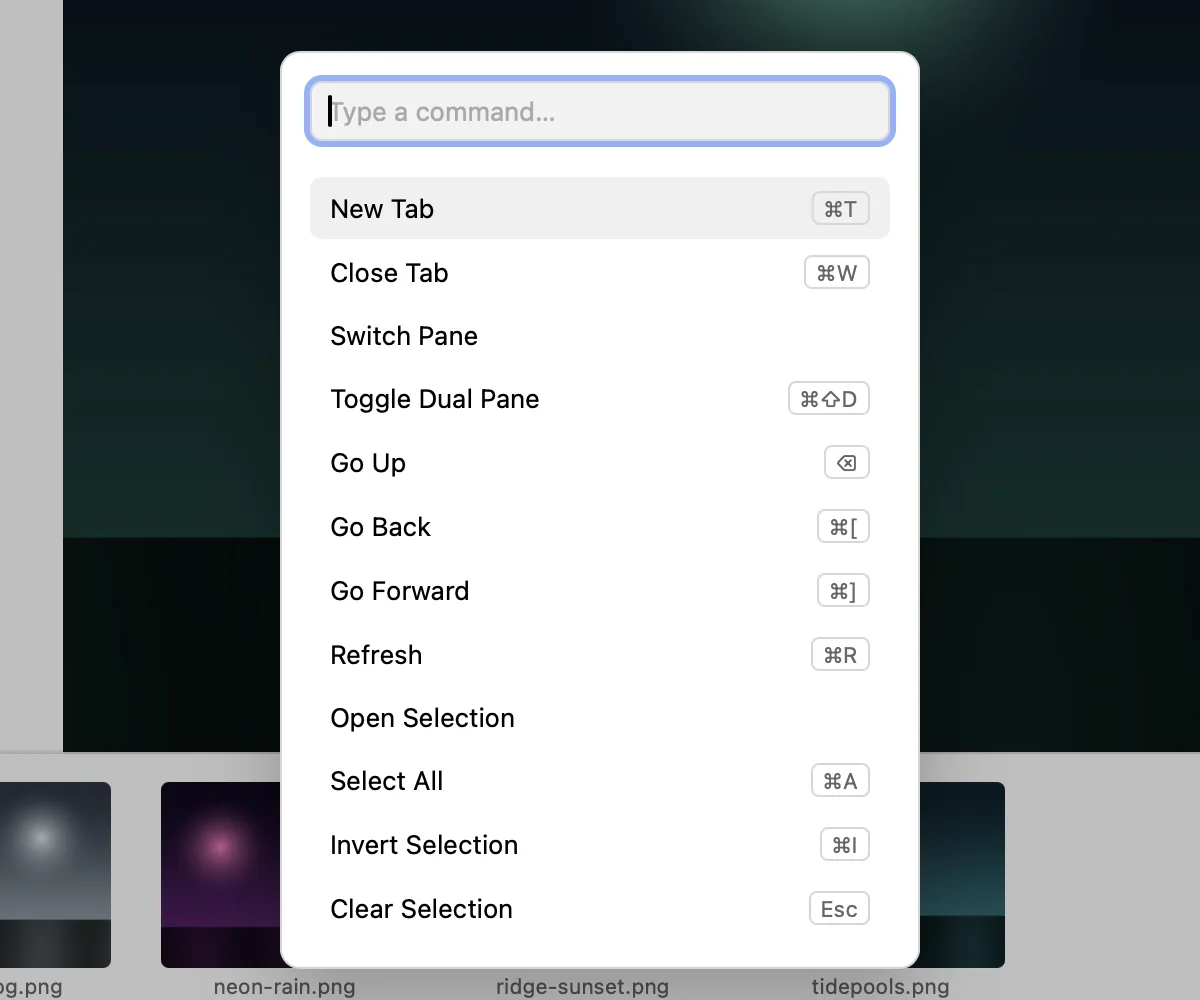
Press ⇧⌘P and type what you mean: the fuzzy command palette finds every command and shows its live binding. Two keyboard profiles ship — Trove's own, and Total Commander's for hands that already know the way — and everything is rebindable.
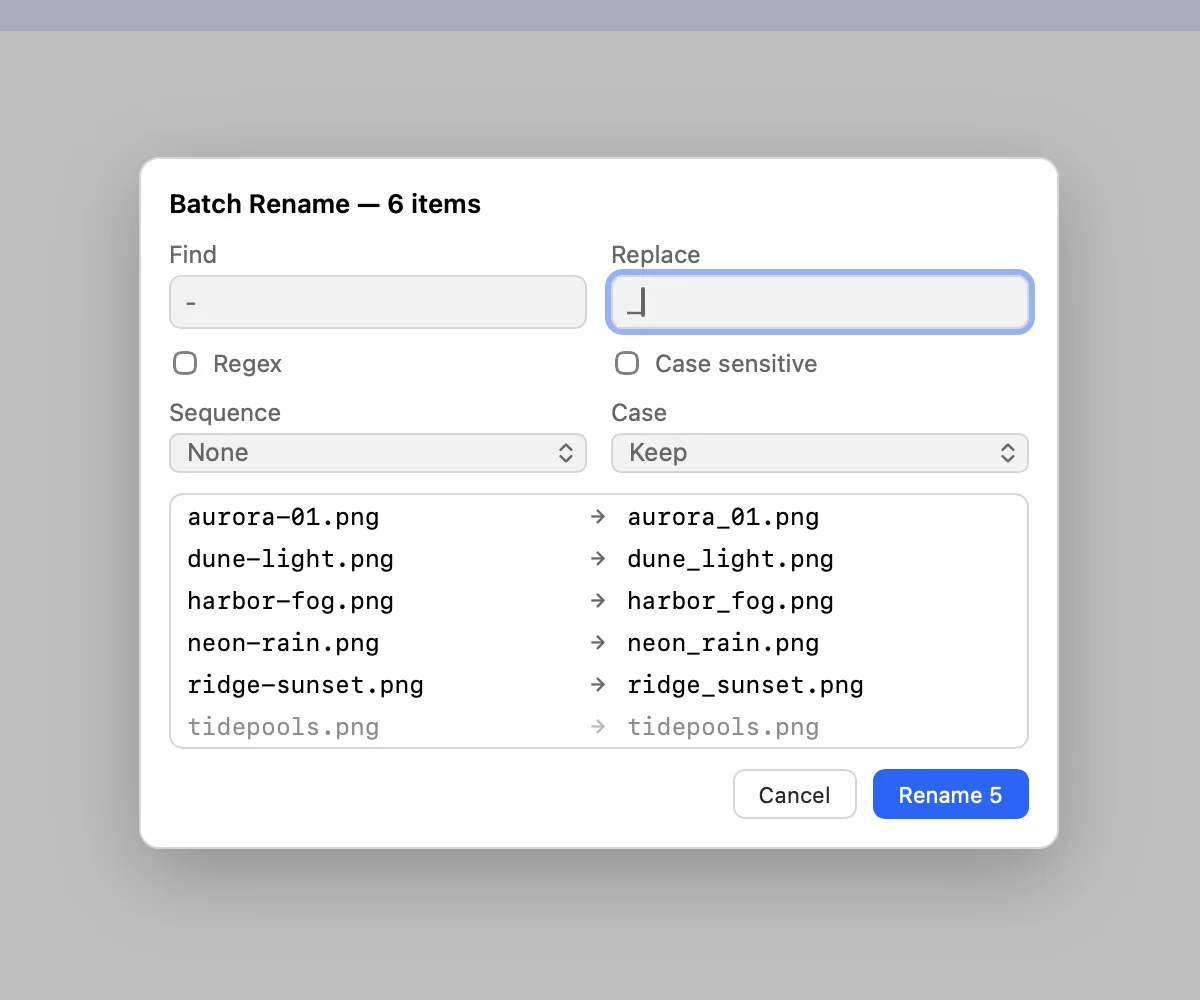
Batch Rename with find & replace, regex, numbering and case transforms — previewed live before anything changes.
Batch Select by glob or regex pattern, adding to or subtracting from the current selection; invert with one key.
Type to navigate in the path bar with folder autocomplete; ⌘F for search.
Command palette · ⇧⌘PBatch Rename · live preview
06
Reach
Servers are just folders.
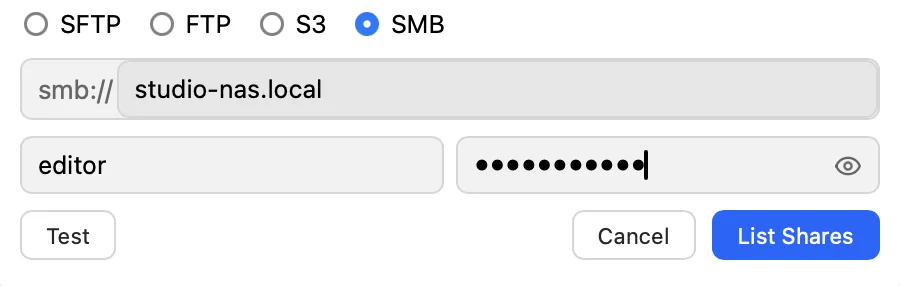
Connect to SFTP, FTP, FTPS, S3-compatible storage or an SMB share and it opens in a pane like anything else — with preview, search and drag and drop. Save the connection and it lives in the sidebar under Network.
SMB without the OS dialogs. Trove lists the shares on a server and mounts the one you pick.
Passwords go in the OS keychain — never in a config file — with a show-password eye while you type.
Volumes with eject, and a sidebar you can reorder from its right-click menu.
Add Connection · SMB · List Shares
Preview engine
Never a dead end.
Preview is a renderer registry keyed by what a file actually is — more than 500 extensions today. Every renderer works from any filesystem — local, inside an archive, or across the network. Files it doesn't recognise are sniffed for text, then handed to the operating system to draw (Quick Look on macOS, the shell on Windows), and only then does it say so plainly and point you at the Hex Viewer.
text sniffingQuick Look / Windows shell renderinghex viewer moduleget info
And the rest
The floor is Path Finder.
Trove started from the power-user feature set that Path Finder and Total Commander refugees expect — and built up from there.
Archives as folders
Step into a zip, 7z, tar, rar, iso, deb, rpm, cpio, pkg or cab like a directory — nested archives and single gzipped files included; double-click a disk image and it mounts. Copy in, rename, delete inside zip, tar and 7z; Trove repacks in the background with an atomic swap and a crash journal.
Search that looks inside
An instant name index, kept fresh by file watchers, for as-you-type results, plus a streaming content regex that reads inside zip archives. On macOS, Spotlight results are merged in and labeled.
Queued operations, undo
Copy and move run through a queue with per-item progress, cancel, and skip / replace / keep-both conflict handling. Rename, new folder, move and copy are undoable for the session; trash goes through the OS, so Put Back works there.
Checksums & secure delete
MD5, SHA-1, SHA-256 and xxHash on demand, with verify. Secure Delete overwrites in multiple passes and tells you plainly what that does — and doesn't — mean on an SSD.
Tags & bookmark groups
Color tags that stay with Trove on every platform and mirror to Finder tags on macOS. Bookmarks file into groups you name, each its own sidebar section, reorderable from the header's menu.
Tab presets & history
Tabs per pane, movable between panes. Save a named set of tabs as a preset and restore it on demand. Every tab keeps its own back / forward history.
Modules on four shelves
Preview, Info, Terminal, Git, Hex Viewer, Processes, Image Browser, Recent Folders, Selection Path and Trash — dock any of them on any of the four sides, in any order. Permissions and attributes live in Get Info.
Duplicate finder, batch convert
Find duplicates across a tree. Convert HEIC to JPEG or a folder of odd video into MP4 in one queued job, with progress and cancel like any other transfer.
Flat view & saved searches
Flatten a whole branch into one list when the folder tree is in your way. Keep a search you run often in the sidebar as a saved search.
Volumes, eject, auto-refresh
Mounted volumes in the sidebar with one-click eject. Folders refresh themselves when something else changes them — no manual reload.
Two keyboard profiles
Trove's bindings, or Total Commander's command keys for muscle memory that moved from Windows. Every binding is editable, and the palette shows the live one next to each command.
Folder sync & compare
Compare two folders and preview a one-way or two-way sync plan before it runs; mirror jobs can verify by checksum. Diff two text files side by side.
Who it's for
Built for people who live in their files.
Trove was designed around three ways of working. The panes, the shelves and the keyboard bend to each of them — without making the other two pay for it.
01
The power user
You learned a dual-pane file manager years ago and nothing since has felt as fast.
Two panes, tabs in each, and one-click copy or move between them.
Batch Rename and Batch Select for the folders nobody else wants to touch.
Total Commander key bindings built in, so your muscle memory travels between Mac and Windows.
02
The developer
You want to see what's in a file without opening an editor, and a shell without leaving the folder.
Code in 140+ languages, Markdown, JSON, Parquet, notebooks and WebAssembly render in the preview pane — extension-less files like README and Gemfile included.
A real terminal and git status docked beside the file list.
Archives and remote servers open as folders — search and preview work inside them.
03
The designer & media pro
Your folders are full of RAW, HEIC, PSD, fonts and 3D files that Finder and Explorer show as blank icons.
Real thumbnails and previews for camera RAW, HEIC, PSD, fonts, 3D models, EXR/HDR textures, and the previews inside Sketch, XD, Krita and iWork files.
Gallery view with a filmstrip, and a thumbnail slider for when you need to see everything at once.
Batch convert HEIC to JPEG or a folder of odd video to MP4 in one queued job.
What you won't find
No telemetry
No plain-text passwords
No app-store sandbox
No bundled browser
Family subscription
One family. Five computers. Mac and Windows, together.
One license for your family, with Trove and its updates on up to five activated computers in any mix of Mac and Windows.
Trove Family
$29.99 for the first year
Then $19.99/year, renewed automatically.
Prices in USD. Any applicable taxes are shown at checkout.
One family license, up to five activated computers
Mac and Windows included in the same license
App use and updates throughout your subscription
Deactivate an old computer to free a slot for its replacement
Try Trove for 3 days. Your family shares one 72-hour trial, starting when you activate the first computer. No card required for the standard trial.
Includes Mac and Windows. Cancel renewal from your account at any time.
Use it offline until your license expires
No weekly check-ins. After activation, Trove works offline until the expiration recorded on your license. Reconnect then to verify renewal and continue using the app.
Cancel renewal, keep your remaining time
Cancellation stops the next annual payment. You can keep using Trove until the paid period ends. An active subscription is required afterward; your files remain yours.
Keep your five computers up to date
You can deactivate computers through your account, including a lost or broken computer. Removing one immediately frees a slot; an offline computer receives the change when it reconnects, or stops at its recorded expiration.
Download Trove for macOS or Windows, then create your family account to get your activation key. Your shared 72-hour trial starts when you activate the first computer.
macOS 13 Ventura or later and Windows 10 (1809+) or Windows 11. The macOS build we ship today targets Apple Silicon; Windows ships as an x64 installer. The available installers are for macOS and Windows.
What does Trove cost?
The family subscription is $29.99 USD for the first year, then $19.99/year, renewed automatically unless cancelled. It covers app use and updates on up to five activated computers in any mix of Mac and Windows. Start with one shared 72-hour trial per family license.
How will the free trial work?
The standard trial requires no payment card. Each license gets one shared 72-hour period starting with its first computer activation. Adding or replacing computers does not restart it. Any alternative trial offer shows its payment requirements before you start.
Can my family use the same license on Mac and Windows?
Yes. The family plan will allow up to five activated computers total, shared across Mac and Windows. You will be able to deactivate a computer to free a slot for another one, even if the old computer is lost or broken.
What happens if I cancel or do not renew?
Cancelling will stop automatic renewal while keeping access through the end of your paid period. After the license expires, Trove must reconnect to verify renewed access. Without an active subscription, the app will stop working. Expiration does not delete your files.
Will I need an internet connection every week?
No. After activation, Trove works offline until the expiration recorded on the license, with no seven-day check-in requirement. At expiration, reconnect to verify renewal before continuing. A remotely deactivated offline computer stops when it next connects or reaches its recorded expiration.
Does Trove collect data or phone home?
Trove does not send us your files or file-browsing activity. Remote connection credentials stay in the operating system keychain. Your subscription needs online activation and renewal verification; it works offline until the expiration recorded on the license.
Can I browse network shares and servers?
Yes. SFTP, FTP, FTPS, S3-compatible storage and SMB shares open in a pane like any local folder, with preview, and connections can be saved to the sidebar.
Do I have to extract an archive to look inside it?
No. Zip, tar, 7z, rar and iso archives open as folders — including nested archives — and zip, tar and 7z can be written into in place. RAR and ISO are read-only.
Why does my OS warn me when I first open Trove?
Installation prompts depend on your operating system and the release you download. Use the official installers and consult the release notes or contact support if you see an unexpected warning.
 Trove
Trove